
 Halaxy integration
Flexible, powerful forms. Connected to Halaxy.
Build intake, consent and referral forms around the way your practice works. Create customised layouts, show relevant questions based on each patient's answers, and apply your own branding. Then automatically create or update patient records and attach completed PDFs in Halaxy.
- Questions that adapt to each patient
- Patients created or updated automatically
- Your branded PDF filed to the record
Trusted by Australian organisations of all sizes








Build the forms your practice needs
Every form is yours to design. The Halaxy connection sits underneath whatever you build, so a short consent form and a twelve-page assessment reach the same patient record.
-
Conditional questions and sections
Adapt the form to different services, patient types and answers, so nobody is asked to scroll past questions that do not apply to them.
-
Flexible layouts and branding
Control how a form looks and how the questions are organised, so it follows your practice's requirements rather than a fixed template.
-
Multiple pages and save-and-resume
Break a long intake into steps, and let a patient stop partway through and come back to it without losing what they have already typed.
-
Custom PDF outputs
Turn a response into a document in the format your clinicians prefer to read — and that is the file Halaxy receives.
-
Notification and integration rules
Decide who is told about a response and when it is sent to Halaxy. Only submissions that meet your rules are sent.
What happens when a patient hits submit
Four things, none of which need anyone at the front desk.
-
1
The patient fills in the form
On an iPad at reception, or at home on their own phone the week before the appointment. One link, no app to download and nothing to log in to.
-
2
Snapforms finds them in Halaxy
Matched on first and last name plus a date of birth, email, phone or mobile that agrees. If nobody matches, Snapforms can create the patient for you.
-
3
Their record is updated
Contact details, address, date of birth and gender are written back from the answers you mapped, so nobody at the front desk re-types them.
-
4
The signed PDF is filed
Snapforms generates the PDF from your own template — signatures, answers and all — and attaches it to the patient in Halaxy.
Templates built for healthcare practices
See all healthcare templates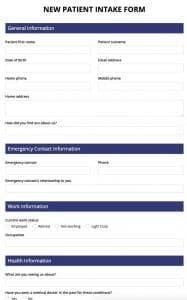


Or send us the forms you use today
Paper, Word documents, PDFs or the forms currently sitting in Halaxy — our Australian team will rebuild them as online forms and map them to your Halaxy fields during your trial, at no cost. You do not have to start from a blank page to find out whether this works for you.
See how Australian organisations use Snapforms
See more customersCustomer stories from across healthcare, government and community services.



Australian-hosted forms, supported by an Australian team
Snapforms stores your form data on Australian-based servers. When you enable the integration, selected patient details and documents are also sent to your connected Halaxy account.
- Data residency
- Australian-based servers on every plan
- Certification
- SOC 2 Type II
- In transit and at rest
- Encrypted, with role-based access and an audit trail
- Support
- An Australian team, not an overseas ticket queue

What reaches Halaxy
Two things leave Snapforms when a patient submits, and it is worth knowing which is which before you design the form.
Written into the patient record
The answers you map are written to the corresponding fields in the Halaxy patient record, where the rest of Halaxy can use them — appointment reminders, invoices, letters.
Carried into the attached PDF
Everything else. This integration writes directly to the 15 supported patient fields; additional information such as medical history, assessment results and consent responses is included in your selected PDF template and attached to the patient record.
Connecting Halaxy takes a few minutes
One connection covers your whole practice. Reuse it across your forms, with separate actions and field mappings for each.
- Create an API key in Halaxy Settings → Integrations → External → Create New Key. Halaxy shows the client ID and secret once.
- Add the connection to Snapforms Paste them in once, pick your Halaxy region, and reuse the connection on every form.
- Switch it on per form Tick Halaxy in the form settings, choose the actions and map your questions to Halaxy fields.
Snapforms and Halaxy: common questions
Halaxy includes its own patient forms. Snapforms gives your practice a dedicated form builder: flexible layouts, conditional sections, multiple pages with save-and-resume, custom PDF outputs and configurable workflows. Choose Snapforms when those capabilities help you build the forms and processes your practice needs, while continuing to create and update patient records in Halaxy. The work people most often bring us is the long multi-page history questionnaire, the form whose question set changes with the service booked, the scored outcome measure, and the document that has to come out on their own letterhead in the order their clinicians read it.
The Halaxy integration is included on every Snapforms plan and works for the full 30-day trial, so there is no add-on to buy from us. On the Halaxy side you need their API subscription: Halaxy publishes it as an add-on at 150 credits per month, free for the first 30 days. You then create the API key yourself under Settings, Integrations, External — you do not have to request anything from Halaxy support.
It matches on an exact first and last name plus at least one of date of birth, email, phone or mobile. If exactly one patient fits, that is the record it writes to. If more than one fits, Snapforms stops: nothing is written, and the response is flagged for someone to review.
Turn on "create a new patient" and Snapforms adds them from the form answers. Leave it off and the response is held back for someone to look at, which is what most practices want on a review or update form.
Yes. Snapforms generates the PDF from a template you design — your letterhead, the answers, the signatures — and attaches it to the patient in Halaxy. A form can produce more than one document.
No. You can set conditions on the integration, and only submissions that meet your rules are sent. That lets a single form serve both new patients and general enquiries while only the first group reaches your patient list.
Australia and Europe. You choose the region when you add the connection, and Snapforms talks to Halaxy over their official API.
The response is still captured in Snapforms, and the reason the sync failed is recorded against it. Once the cause is fixed — a corrected mapping, or a duplicate patient merged in Halaxy — you can send the response through again.
Snapforms stores your form data on Australian-based servers, encrypted in transit and at rest. When you enable the integration, the patient details you have mapped and the generated PDF are also sent to your connected Halaxy account, which sits in the region you selected — Australia or Europe. The Australian Privacy Principles apply to us either way; they cover disclosures to an overseas recipient as well as what we hold here.
Try Snapforms free for 30 days
Full access to your chosen plan, no credit card required. Connect Halaxy, build the form your practice actually needs and watch the first submission land on a patient record.