Batch export responses as PDFs
You can export form responses as individual PDF files for printing, archiving, or sharing. Snapforms lets you export a single response or multiple responses in bulk. When exporting in bulk, the PDFs are packaged in a ZIP file for easy download.
To batch export responses as PDFs:
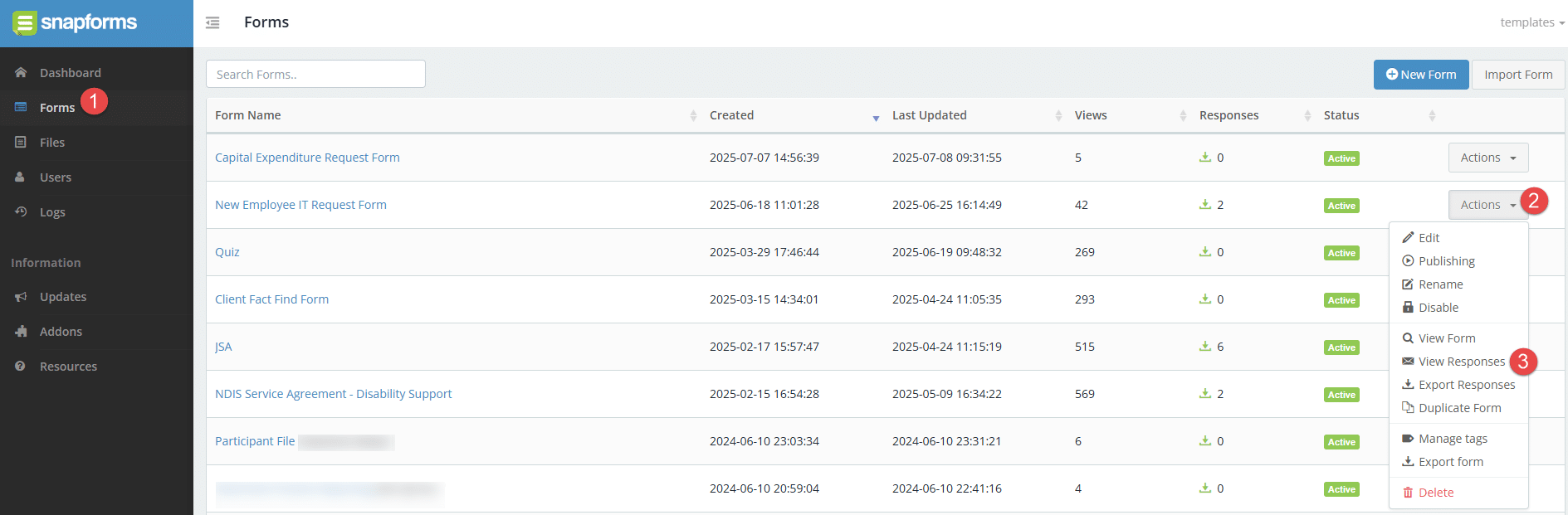
- Navigate to the Form Responses page via your Dashboard > View Responses, or the Forms List > Actions > View Responses.

- (Optional) Customise the data you want to export using the filters at the top of the form responses table.
- Click Export and select Export responses as PDFs.
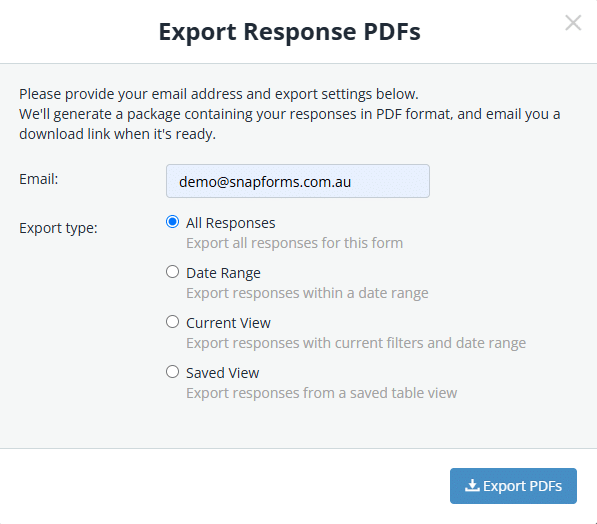
- Enter an email address for the download link to be sent to.

- Choose an export type:
- All Responses – exports all form responses.
- Date Range – exports form responses for a selected date range or custom range.
- Current View – exports form responses displayed in the current table view with filters applied.
- Saved View – exports form responses for a saved table view.
- Click Export PDFs.
- Check your inbox for a Snapforms email notification containing the download link.