
Duplicate an existing form
Instead of starting with a blank form, you can create a new form faster by duplicating an existing form that contains most of the fields you require. You can then remove or change parts of the form using the Form Builder.
To duplicate a form:
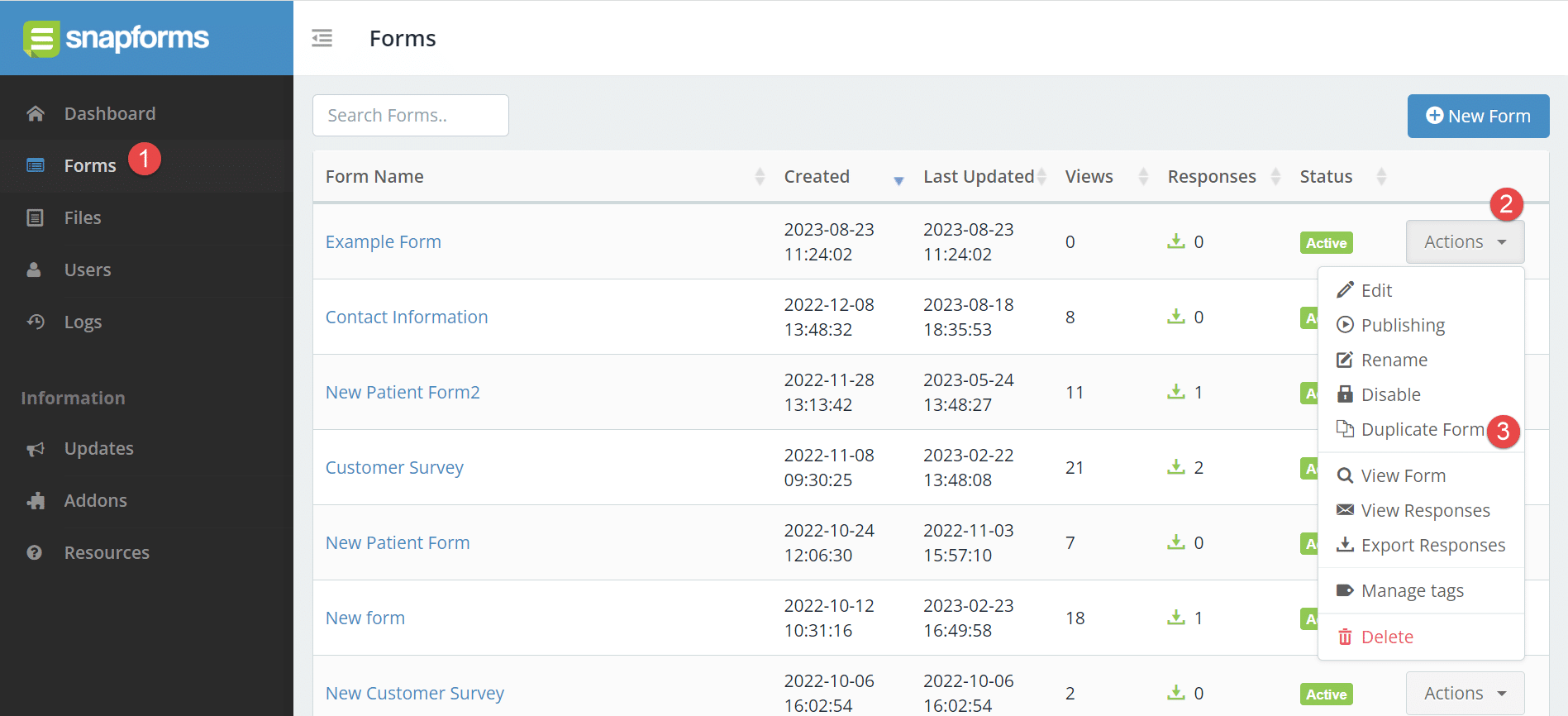
- From the Dashboard menu, click Forms.
- Next to the form name, click Actions.
- Click Duplicate Form.

- Enter the new form name.
- Click Create Form.
- You can now edit the new form by clicking Actions > Edit.
Merge forms
Merging forms is not currently supported.
We recommend that you duplicate one of the forms and use that as the basis for a new form. From there, you would need to manually add in the fields from the other form.