
File upload security
Snapforms takes file and form submission data security seriously. As such, by default any file that a user uploads as a part of their form submission cannot be viewed unless you are logged into Snapforms.
If someone attempts to access the URL of an uploaded file while not logged into Snapforms, they will be prompted to log in.
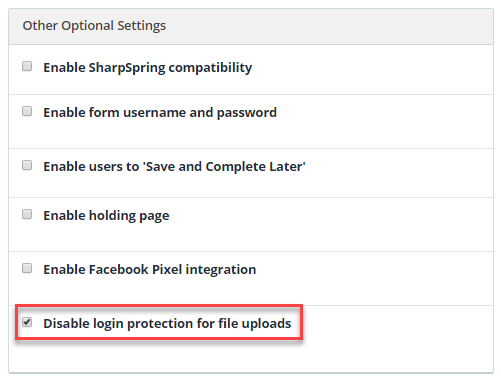
If you would like to make the URL for uploaded files publicly accessible, you can do this for any given form in the form editor by ticking the “Disable login protection for file uploads” tick box from left hand “Other Optional Settings” section as seen in the image below:
Previously, files uploaded by users to Snapforms via a form with a file upload field were secured using a random key. Only users who knew the long file URL with the randomly generated key could access the file. This also allowed sharing/access of the same file URL with non Snapforms users.
NOTE: Disabling this will allow anyone who has the URL of your file to access it without logging in. It may be useful for sharing purposes. Whilst the URL of the uploaded file is generated to be very difficult to guess, we recommend leaving this setting on for additional security and protection of your users data.