
Hidden Reference
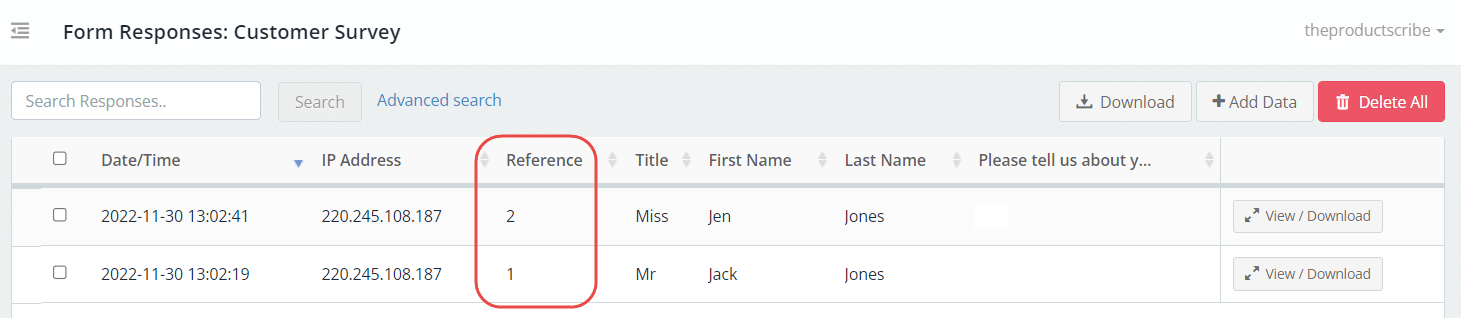
The Hidden Reference field is not visible on the live form. It is an internal field that can be used for a range of purposes, such as:
- Automated numbering of form responses
- Field mapping for integrations
Field setup
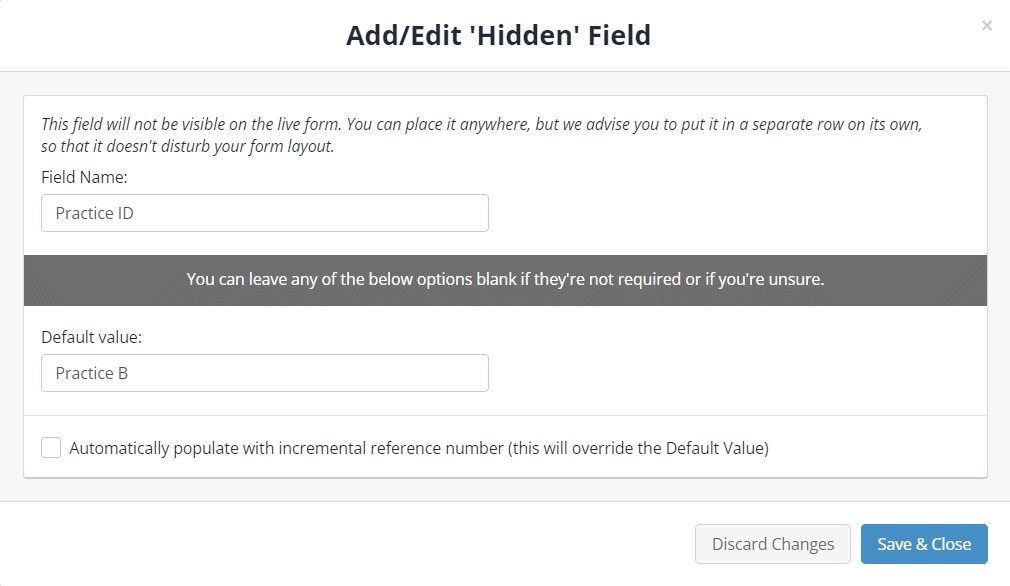
- In the Form Fields panel (left-hand side), under Advanced Form Fields, click and drag the Hidden Reference field onto your form.
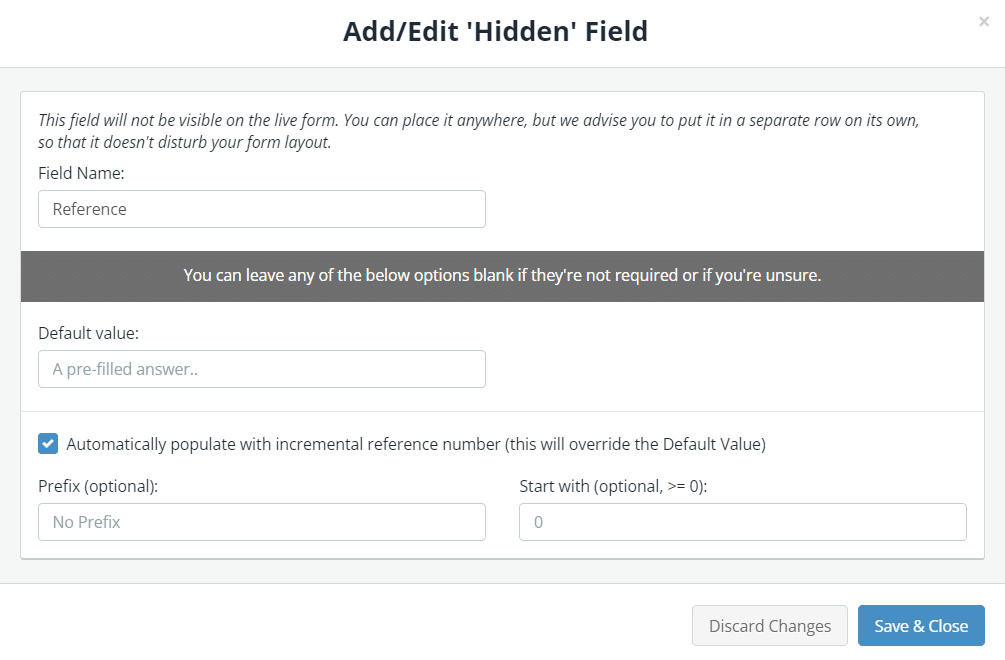
- Enter the field name.
- If you want this field to be a static reference, enter the default value that will be used to populate the field.

- If you want it to be an incrementing reference (most commonly used), select the Automatically populate with incremental reference number checkbox. Note: This number will override the default value if one is set.
- (Optional) Enter a prefix for the reference numbering if required.
- (Optional) Enter a starting number if you don’t want the reference numbering to start from zero.

- Save & Close.
Note: In order to maintain the incremental numbering sequence, the reference is generated after a form response is submitted.