
Signature
The Signature field elevates your forms from simple data entry to legally-binding document execution, allowing you to generate formal agreements and service contracts directly within your workflow.
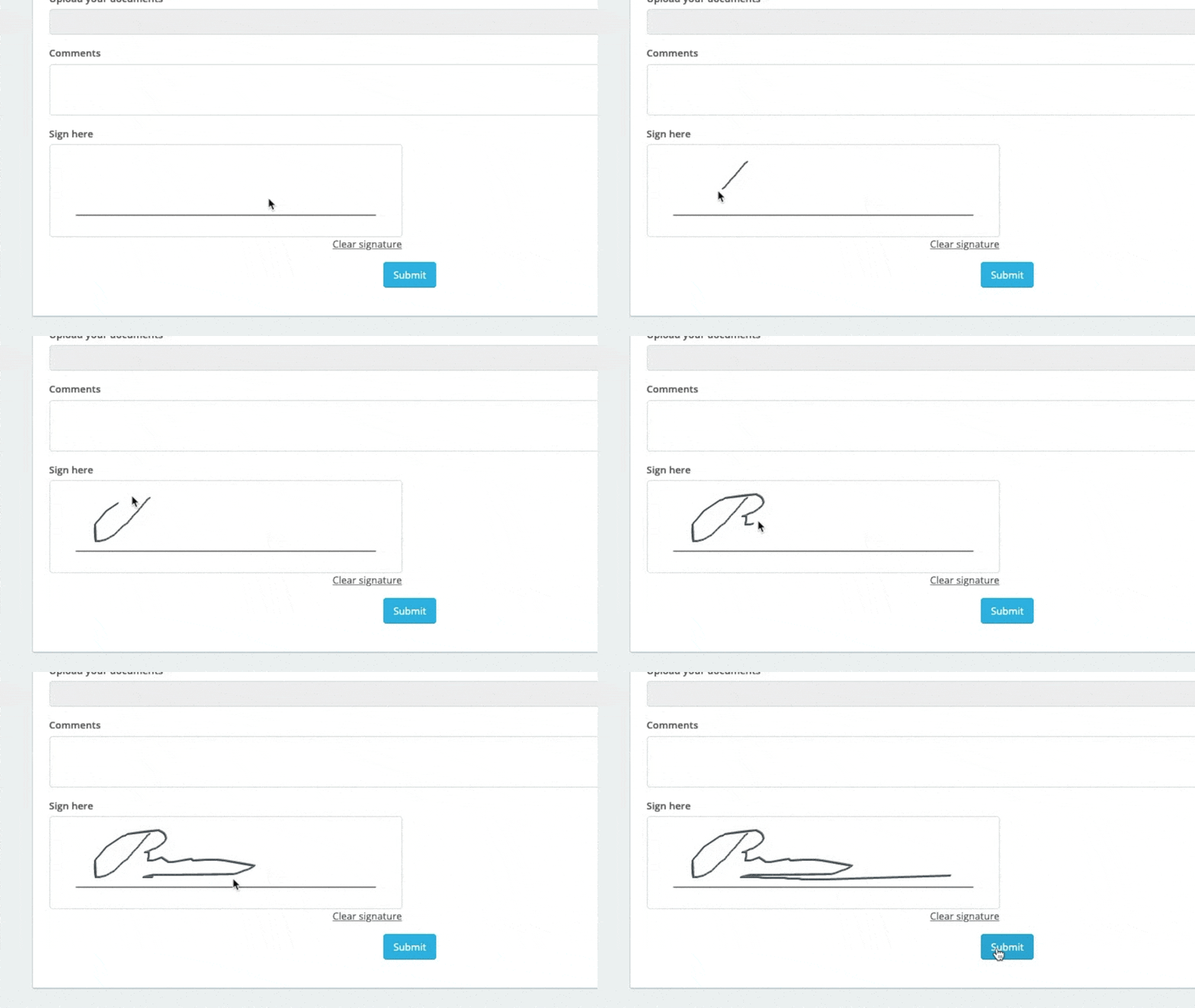
This feature provides a practical alternative to dedicated document signing apps by letting users sign digitally via mouse, touch screen, or stylus.
Basic setup
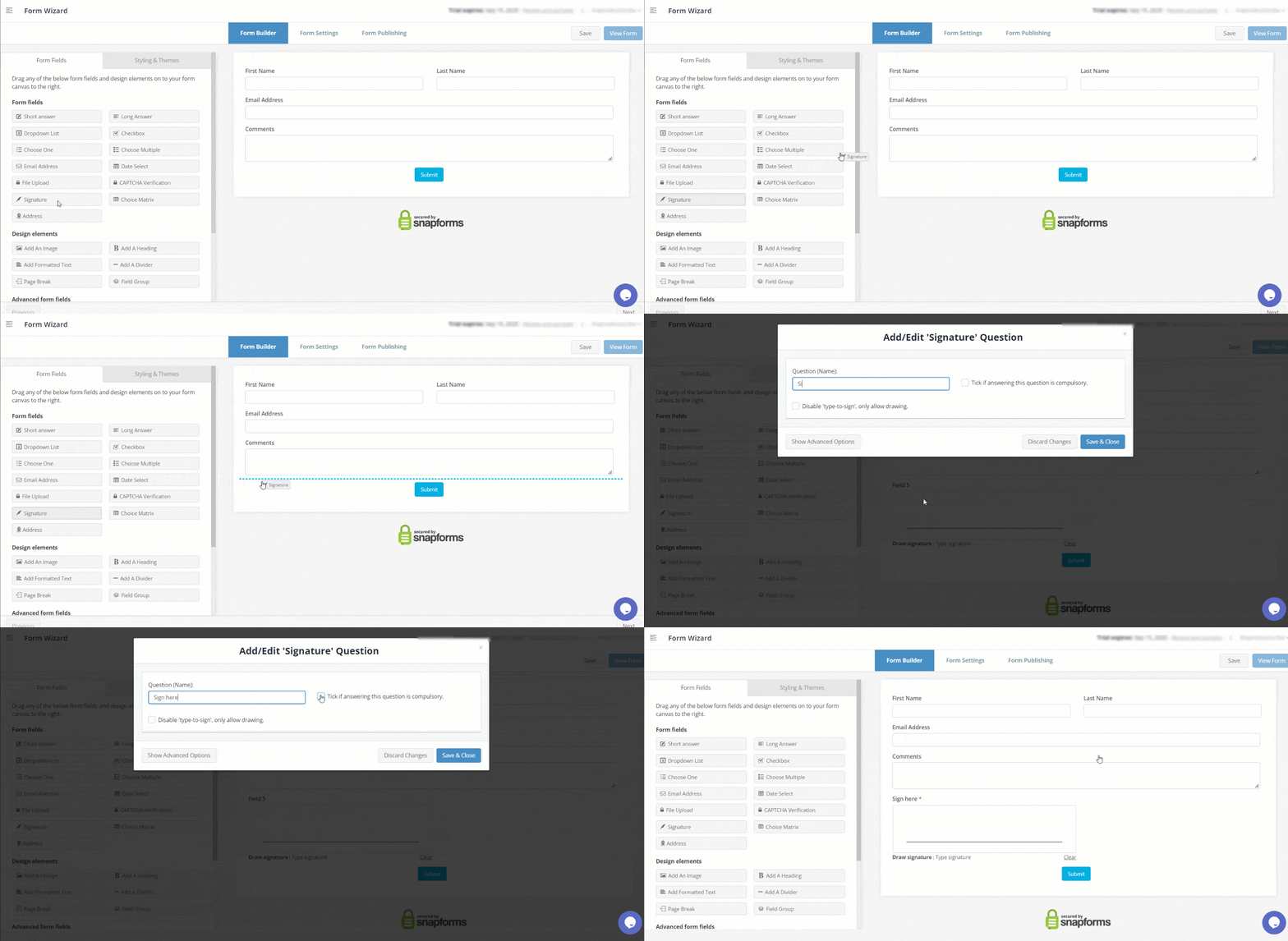
- In the Form Fields panel (left-hand side), click and drag the Signature field onto your form.
- Enter the question or label.
- (Optional) Tick if answering this question is compulsory.
- (Optional) Disable ‘type-to-sign’, only allow drawing.
- Save & Close.
Signature attestation
To meet standard documentation and compliance requirements, use the Advanced Options to enable these signature verification features:
- Custom Attestation Text – Automatically pull names into your signature declarations using short-codes. Note: Attestation text is rendered in the PDF output only. It is designed to be used for verification purposes, not for hidden legal declarations.
- Digital Watermarking – Apply a custom watermark to the PDF output to verify the signature originated from your form and has not been altered.


Advanced options
Use these additional controls to customise how the Signature field behaves and appears.
| Option | Description |
| Internal Name | A unique field identifier used internally for reporting, exporting, and shortcodes. The internal name is automatically generated, however you can modify it if required. Each internal name must be unique within the form, so duplicates are not allowed. |
| Hide the question (only show the answer box) | Only show the input field (without the question/name). |
| Further instructions | Display some informative text just below the field. |
| Enable signature attestation in PDF | Enables a custom attestation within the signature box that is rendered on the PDF output only. You can include a submission timestamp and watermark to verify the signature as true and authentic.
Once applied, the attestation text is immutable and cannot be altered unless the signature itself is cleared or changed. |
| Show /hide this field with conditional logic | Hide this field until certain conditions/responses in other fields are met.
To learn more, see Show/hide fields based on conditions. |