
Templates
Save a bit of time and thinking by starting with a pre-built template.
We have a wide variety of form templates for different purposes.
Please follow the steps below to build your form starting with a template.
Create and name your form
1. Log in to Snapforms using the link, username and password from your welcome email.
2. Click ‘Forms’ on the left hand side then click ‘New Form’.
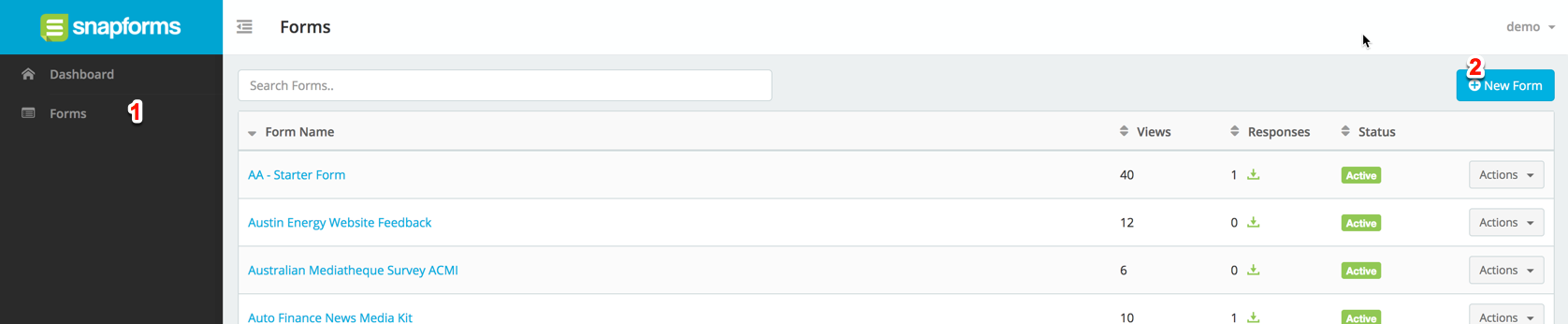
3. Type a name for your form, choose ‘Templates’ to start with a pre-made template. Then click ‘Next’.

Choose your template and click next to enter the form builder.
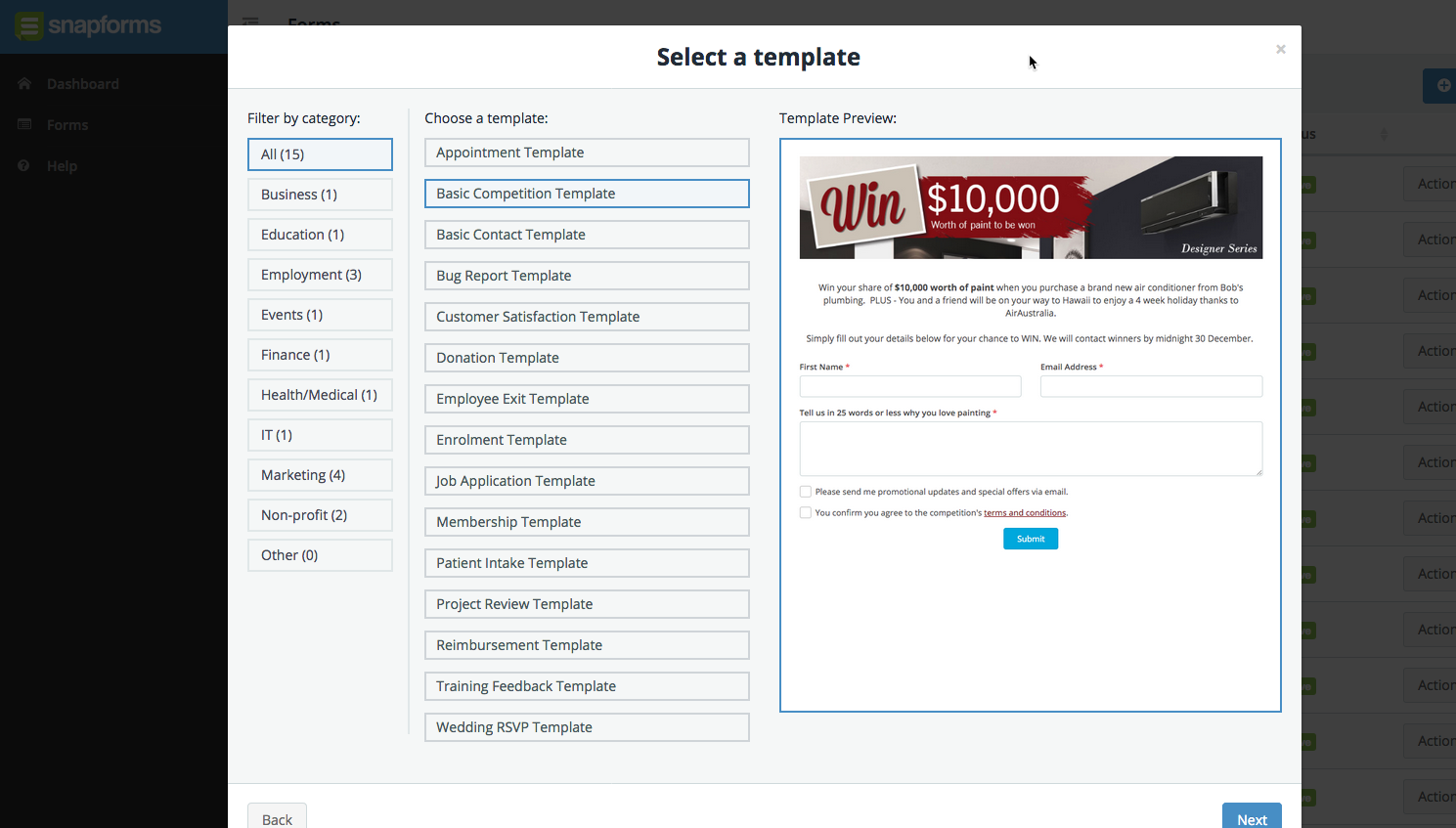
Click next and you will be taken to the Form Builder to edit and finalise your form.