
View, print, and download individual responses
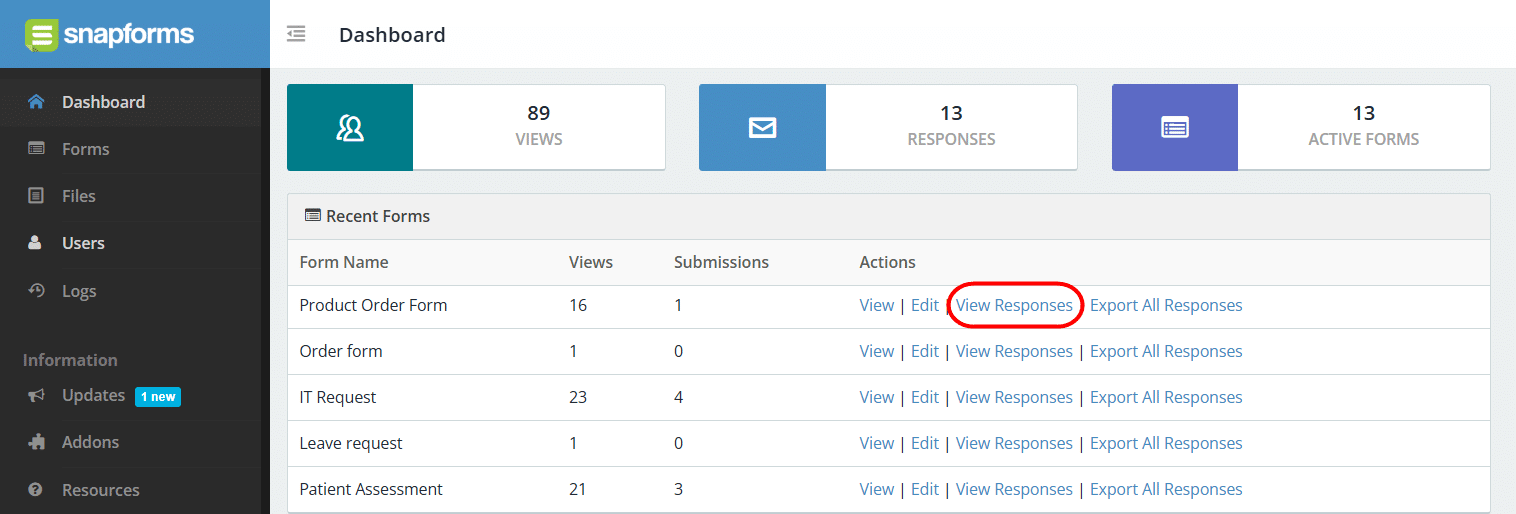
You can view, print, and download submitted form responses for your most recent forms via the Dashboard > View Form Responses action.
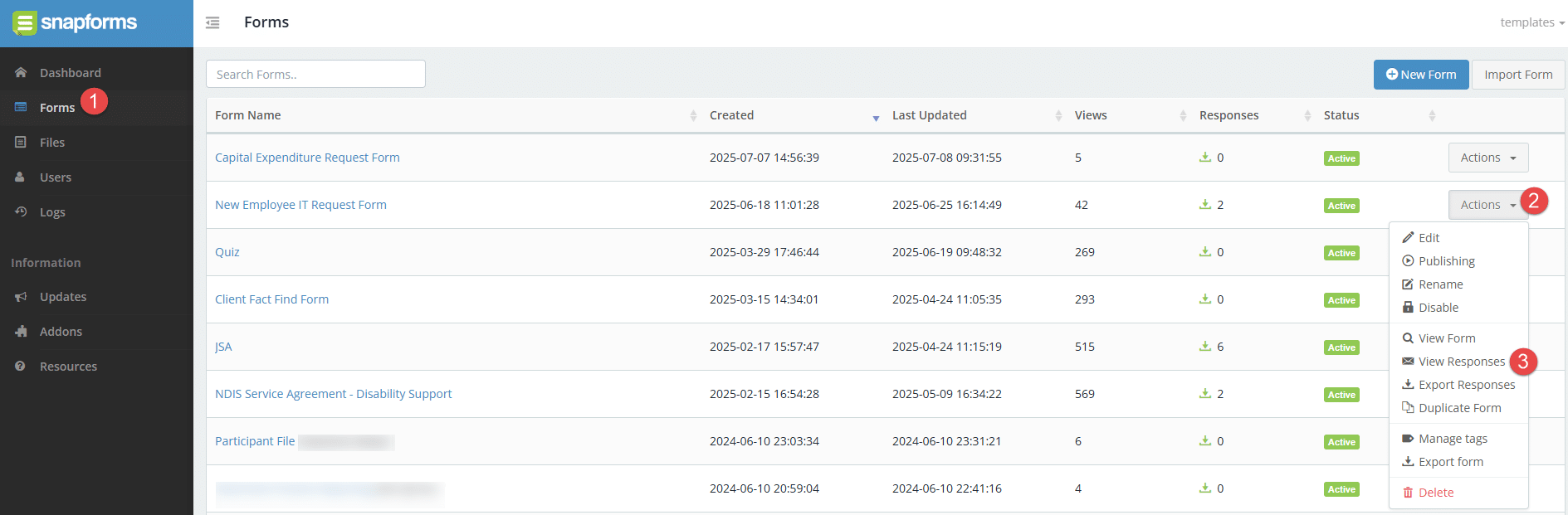
If the form isn’t listed, or if it belongs to another form owner, go to Forms to see the full list of forms for your organisation. Locate the form in the list, then click Actions > View Responses.
The Form Responses page displays submitted form data in a table format. You can use the search function to quickly find a specific response, or customise your table view by applying filters.

Next to the response, click the View/Download button to:
- View all the answers provided within that form response
- Edit the response answers
- Download a PDF copy of the form response
- Print a text version of the form response
- View integration logs for that form response (if you have any integrations set up on the form).

Form responses can also be exported in bulk as a ZIP file containing individual PDFs, or as a single CSV/Excel file.