
SAML SSO for Form Admin Login
Single-sign on (SSO) with Snapforms provides a faster and more secure way for your team (Forms Administrators) to access the Snapforms admin panel.
This feature is only available on the Enterprise plan.
Setting up SSO with SAML
SAML is the recommended way to set up SSO with Snapforms. Please refer to your organisation’s identity provider’s (IdP) website for instructions on how to set up SAML SSO as steps will vary depending on the identity provider.
Obtain Snapforms service provider metadata
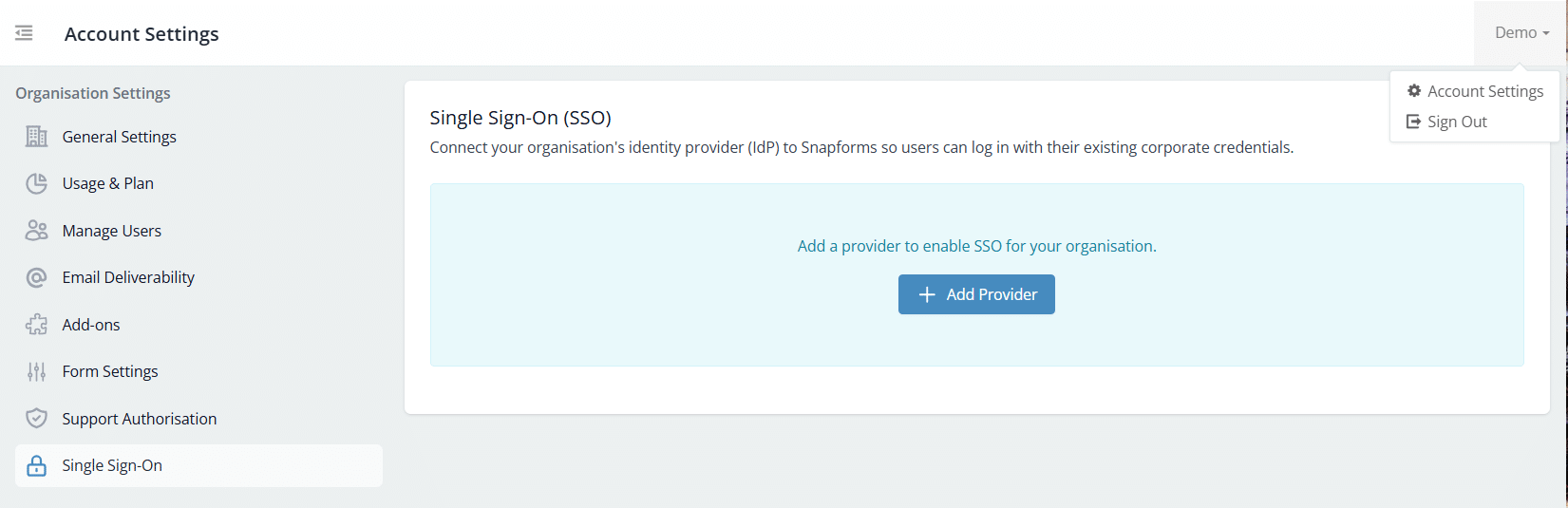
- Navigate to Account Settings > Single Sign-On.
- Click + Add Provider.

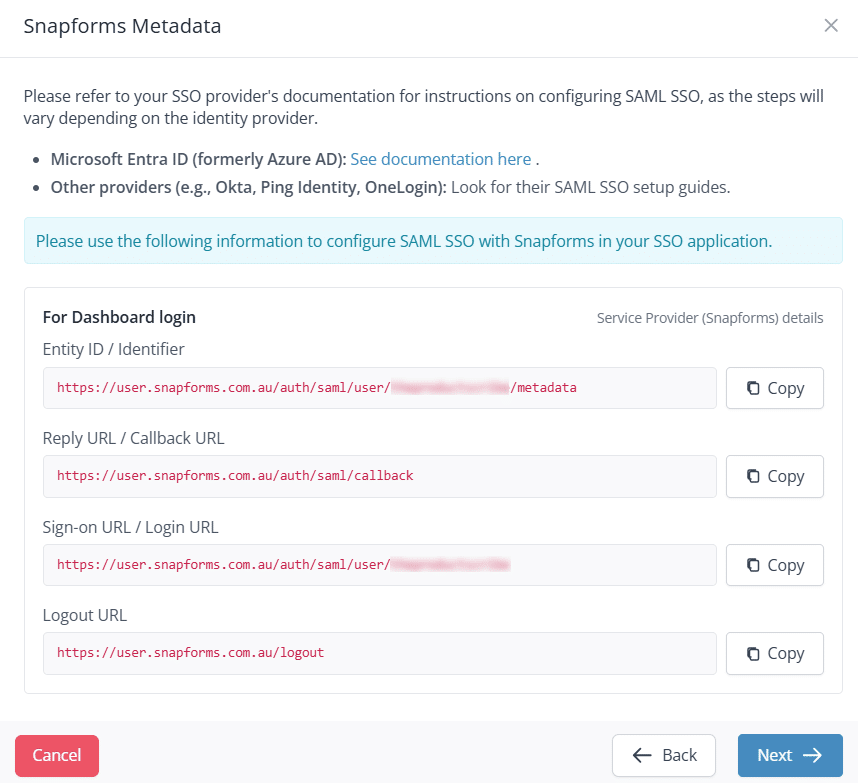
- Select Dashboard Login to Snapforms, then click Next.
- Use the Copy button to copy/paste the following information into your IdP application.

- Click Next to add your IdP’s SAML SSO details into Snapforms.
Add provider SAML SSO details
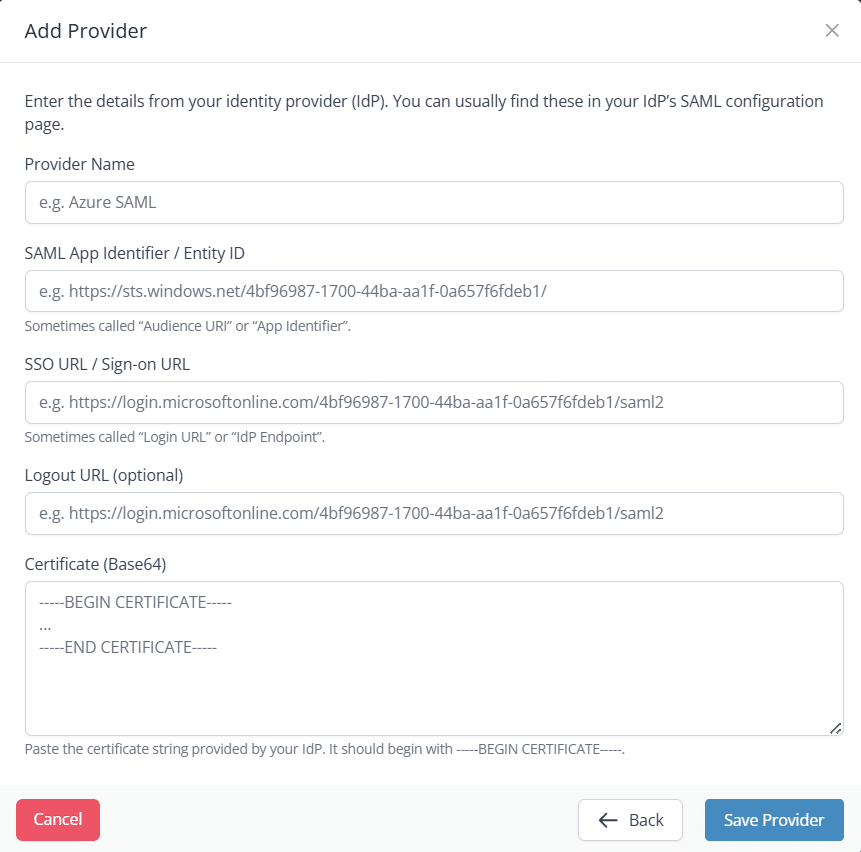
- Enter the details from your IdP’s SAML configuration page into the relevant fields.

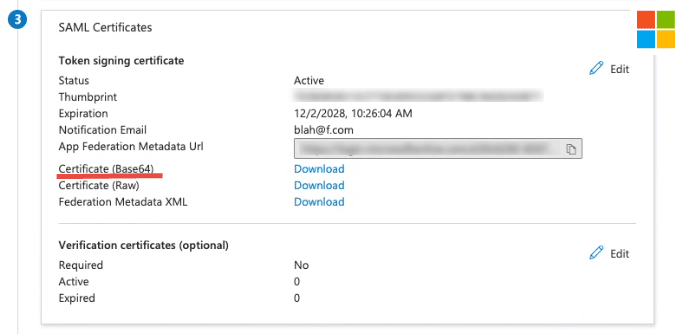
- Download the Certificate (Base64) file from your IdP. Note: You may need to open the file in plain text, using a plain text editor such as Notepad or TextEdit.

- Copy/paste the certificate string into the Certificate (Base64) field, after the —-BEGIN CERTIFICATE—-
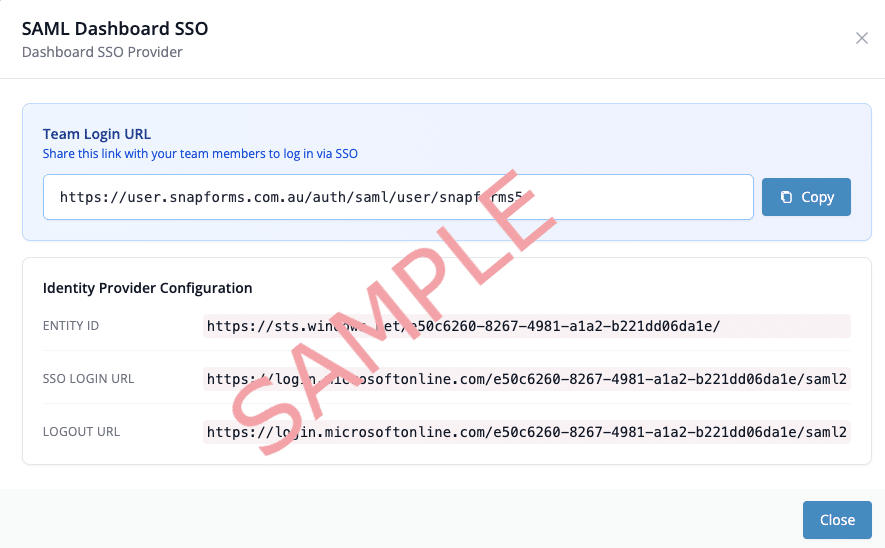
- Click Save Provider. The SAML login URL will now be generated and displayed on-screen.
Using SSO to log into Snapforms
Once you’ve saved the provider, you can share the SAML login URL with authorised team members (form administrators).
They’ll use this link to sign into Snapforms via your organisation’s identity provider instead of entering a username and password.
Using SSO to protect forms in Snapforms
SAML SSO can also be used to protect individual forms in your Snapforms account by limiting access to internal, SSO-authenticated users only.
To enable this, you’ll need to configure a separate application in your IdP for protecting forms with SSO.