
File upload security
Snapforms enforces strict file security by default. Any file uploaded as part of a form submission is protected and cannot be viewed unless the user is securely logged into the Snapforms platform. If an unauthenticated user attempts to access an uploaded file’s URL directly, they will be prompted to log in.
If your workflow requires uploaded files to be publicly accessible via their URL, you can disable this security feature on a per-form basis.
How to make file uploads publicly accessible
- Open your form in Edit mode.
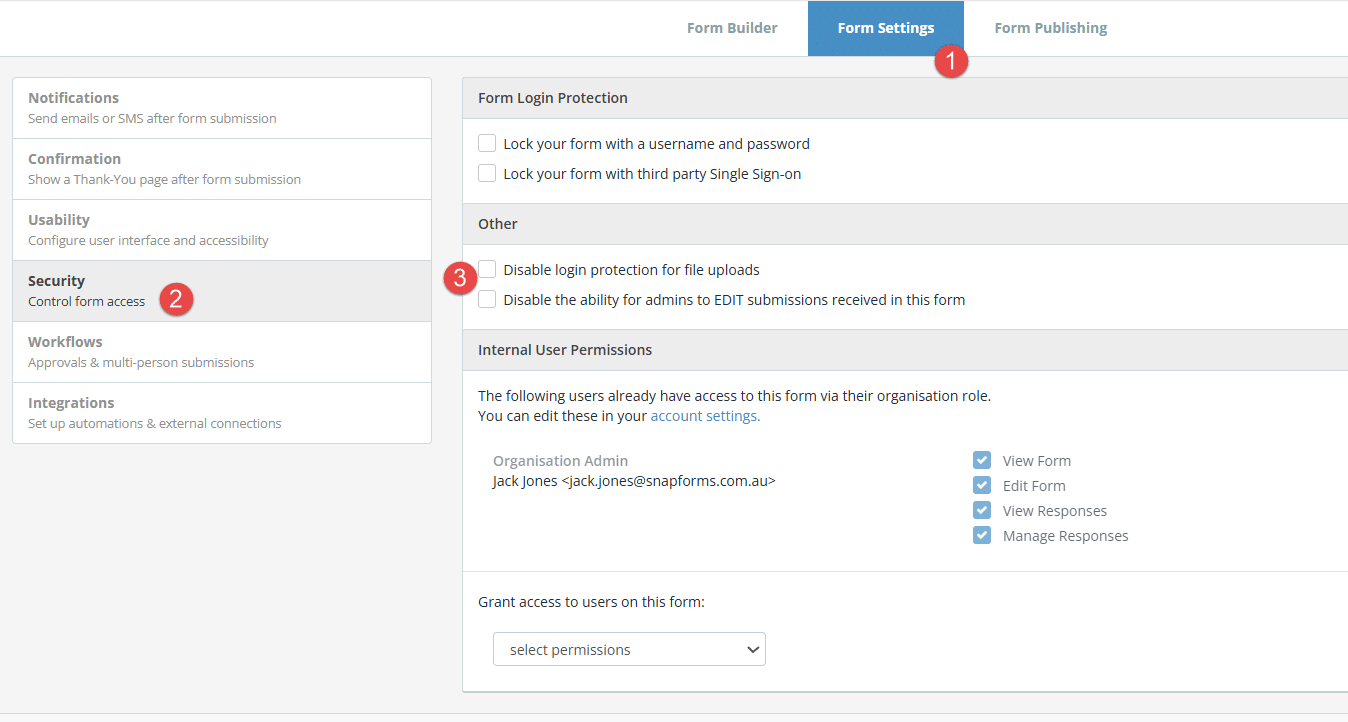
- Navigate to Form Settings > Security.
- In the Other section, select the Disable login protection for file uploads checkbox.
- Click Save.

Note: Disabling login protection permits public access to file URLs without a Snapforms login. We recommend keeping it enabled to protect sensitive user data unless your workflow strictly requires public sharing.