
Verifying Customer Identity with ConnectID®
Snapforms has partnered with ConnectID®—a secure digital identity solution that allows customers to verify their identity instantly using an organisation they already trust (such as CBA, NAB, ANZ Plus, or Westpac).
By adding the ConnectID Verification field to your forms, you provide a secure bridge between the ConnectID exchange and the customer’s bank. This eliminates manual document uploads, reduces data storage risks, and provides a higher level of assurance for your Know Your Customer (KYC) obligations.
Why use ConnectID?
- No Document Uploads: Avoid the security risks associated with storing digital copies of resensitive ID documents on your servers.
- Data Minimisation: Request and receive only the specific data points you need.
- Real-Time Speed: Verification is completed in seconds, reducing form abandonment.
- Bank-Grade Security: Leverages the same encrypted infrastructure used by Australia’s major financial institutions.
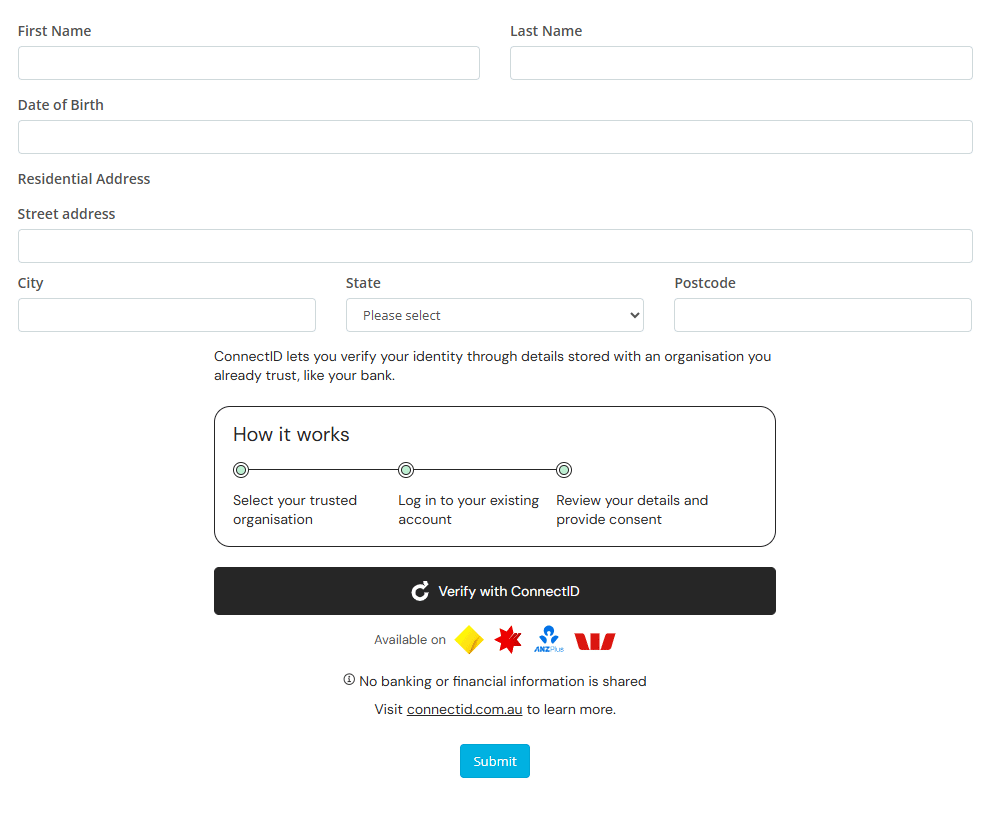
Note: To enable ConnectID Verification, discuss your use case, or confirm verification pricing, please contact Snapforms Support.
How to set up ConnectID on your form
- Firstly, set up the personal information fields in your form using the form builder.
- Tip: We recommend placing the ConnectID button immediately after the initial contact details section, where identity proof is most relevant to the workflow.
- Under Advanced Form Fields, drag the ConnectID Verification field onto your form.
- Enter ‘Verified via ConnectID’ as the Internal Name.
- Note: The internal name is used for reporting, exporting, and short-codes. It is not visible to the form user.
- (Optional) Tick the checkbox to make identity verification mandatory for form submission.
- Enter your Organisation Name (legal entity name). This will appear in the data collection and consent statement shown to your customers.
- In the Claims Configuration section, select the specific identity attributes you wish to verify (e.g., Full Name, DOB, address, etc.) and map them to the corresponding fields in your form.
- Click Save & Close.
- Click View Form to view the form online and test the ConnectID button.
- Note: Test credentials are not available. Valid data is required, and verification events will be charged.

- Note: Test credentials are not available. Valid data is required, and verification events will be charged.

How ConnectID works for your customers
When a customer reaches the verification section of your form, the process is seamless:
- The customer clicks the Verify with ConnectID button.
- A secure window appears listing trusted organisations. The customer selects their bank.
- Tip: If their provider is not listed, there is the option to verify by uploading identity documents.

- Tip: If their provider is not listed, there is the option to verify by uploading identity documents.
- The customer is redirected to their bank’s official login page.
- Note: Snapforms and ConnectID cannot see banking credentials or personal information.
- After logging in, the customer reviews the details requested (e.g., Full Name, Address, DOB, etc) and clicks Consent.
- The customer is redirected back to your form. The mapped fields will now be locked and marked as verified.


Security Tip: Remind your customers that ConnectID will never send an SMS or email asking them to click a link to verify. It should only ever be initiated via the official button on your online form.
Exporting verified responses
Personal information verified by ConnectID can be exported from the Form Responses table to CSV and PDF. The table includes a ConnectID column showing the specific attributes used for verification, which you can filter to display verified responses only.

®ConnectID is a registered trademark of ConnectID Pty Ltd ABN 80 648 970 101.